




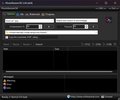
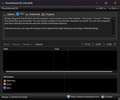
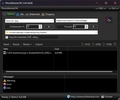

PhotoResizerOK is an app that allows you to reduce the size of your photos by adjusting various parameters, such as resolution and compression percentage, making it an ideal tool for freeing up disk space or preparing images for sharing on social media.
Fast batch processing
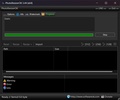
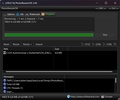
PhotoResizerOK rapidly processes files, enabling you to convert thousands of photos in a matter of minutes. All you have to do is import the images or drag and drop them into the program. After that, compression will automatically begin according to the parameters you've set. The program automatically creates destination folders organized by date or original name and opens them upon completion so you can check the resulting files.
Customized compression and conversion
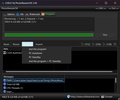
With PhotoResizerOK, you can adjust compression levels and the final resolution percentage. By default, both values are set to 50%, but you can adjust them to balance the final file size with the quality of each image. PhotoResizerOK can convert JPG to PNG or vice versa, preserving transparencies or optimizing images for the Internet with a specific progressive compression. It also retains all original EXIF data including GPS, capture date, camera model, and exposure settings.
Watermarks
PhotoResizerOK allows you to add watermarks for various purposes, such as a copyright, the photographer's name, or a website, directly over thousands of processed images. Simply position the watermark in one of the corners, in the center, or along the edge with adjustable opacity for subtle but effective visibility on social media.
Integration with Windows Explorer
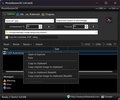
PhotoResizerOK also integrates into the context menu of the File Explorer on Windows, so you can send multiple photos to be processed without opening the app. Select images in recent download folders or on connected cameras, then convert them with the keyboard shortcut Ctrl + right-click.
Support for RAW files
Besides converting and compressing your photos into JPG or PNG, PhotoResizerOK is very useful for quickly converting batches of RAW photos to JPG. The program accepts RAW files from all types of manufacturers, including Canon, Sony, and Nikon, compressing the files while maintaining the original histogram and white balance.
Download PhotoResizerOK to compress batches of images easily on Windows.

























Comments
There are no opinions about PhotoResizerOK yet. Be the first! Comment